
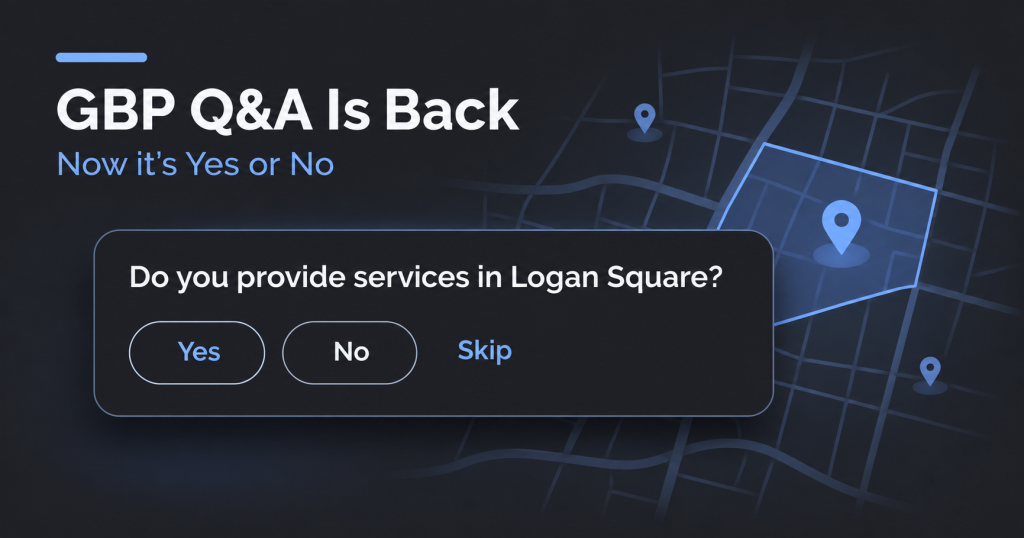
Google Business Profile Q&A is quietly returning, and it looks nothing like the feature we lost. We have now seen it live on the profiles of a renovation company and a cleaning company. Instead of a public list of customer questions that anyone could answer, owners get a short “Answer questions” panel where Google asks the questions and the owner replies with a button: Yes, No, or Skip.
This is a slow rollout, not a full launch, so many profiles will not show it yet. Here is what we are seeing, how it differs from the old Q&A, and what to do before it reaches your clients.
What the new Q&A looks like?
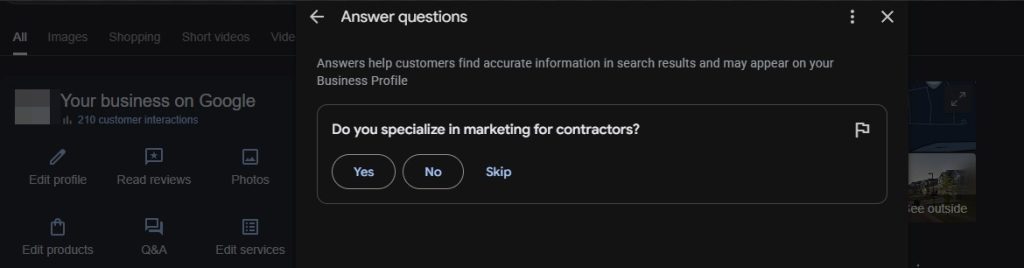
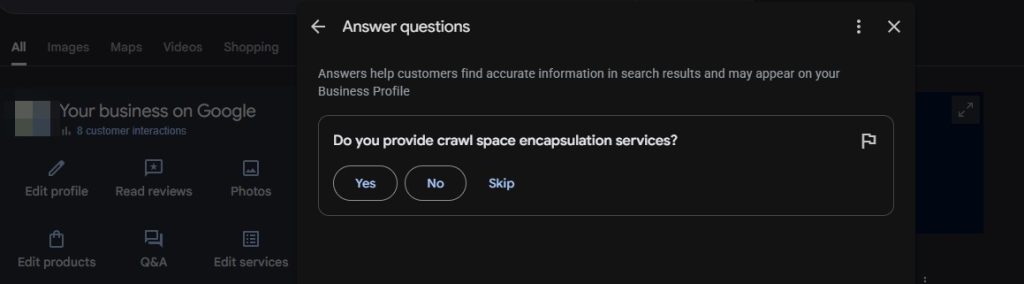
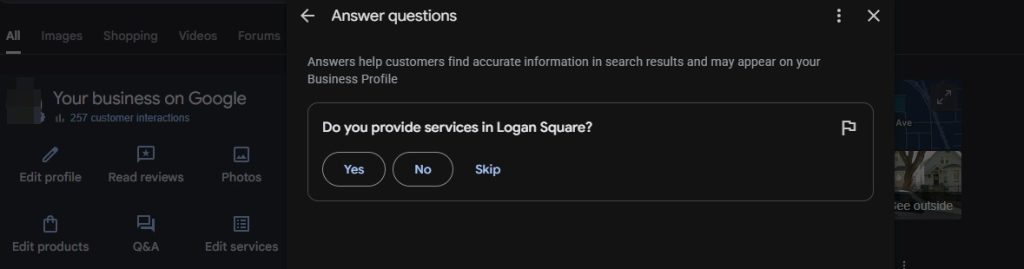
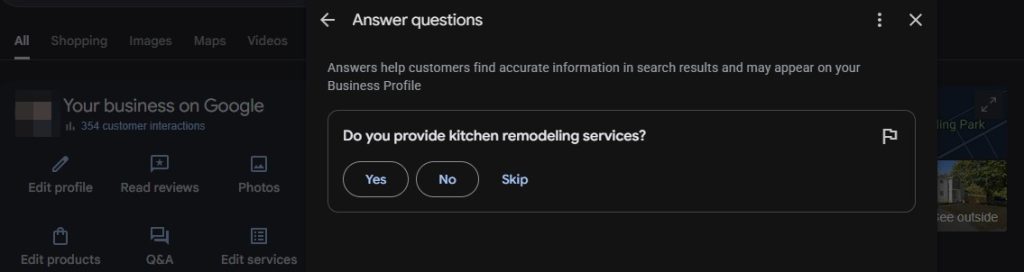
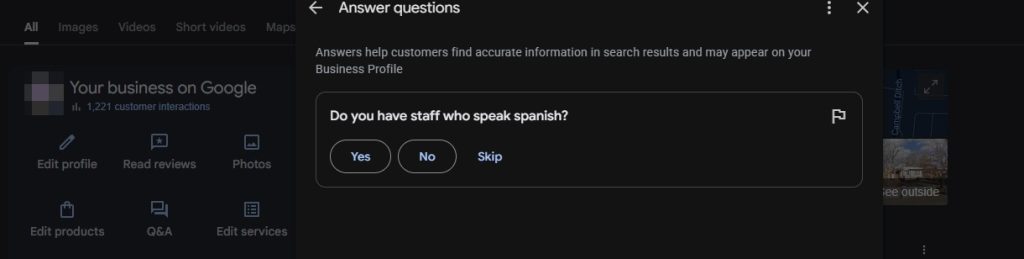
Inside the Google Search dashboard for a verified business, the panel is titled “Answer questions.” The helper text says that answers help customers find accurate information in search results and may appear on the Business Profile.
The example we captured asks: “Do you provide services in Logan Square?” The owner can choose Yes, No, or Skip. There is also a flag icon on the question card, which appears to let the owner report a question that is wrong or irrelevant.
The question is generated by Google and tied to the business and its location. There is no text box, no way to write your own question, and no way to write your own answer in free text.
How this differs from the old Q&A
| Old Q&A (2017 to 2025) | New “Answer questions” panel | |
|---|---|---|
| Who writes the question | Customers, or the owner seeding their own | |
| Format of the answer | Free text, keyword rich if you wanted | Yes, No, or Skip |
| Who can answer | Anyone, with an owner label for the business | The verified owner or manager |
| Public Q&A list on the profile | Yes | Not in the same form |
| Owner can add questions | Yes | No |
That last row matters most for local SEO. The old tactic of seeding your own questions with service and city keywords is not possible here. The new panel is closer to a fact-checking tool than a content tool.
How we got here
- November 2025: Google discontinued the classic Business Profile Q&A, and the Q&A API was shut down. Customers were pointed to Ask Maps, a Gemini-powered feature that answers questions about a business on demand.
- August 19, 2026: Search Engine Roundtable reported Google testing a revamped Q&A in the Business Profile dashboard, with a new Q&A button and a flow of yes or no questions tailored to the business.
- Late August and September 2026: Reports described the Q&A button returning for some users in the UK and North America, and an “Answer questions” interface with Yes, No and Skip buttons.
- November 2026: We are now seeing it on live client-type profiles, including a renovation company and a cleaning company.
The timeline suggests a staged rollout that started as a test and is now reaching more profiles.
Why Google is probably doing this?
This is our read of the situation, and Google has not confirmed it. Ask Maps builds its answers from profile fields, reviews, photos and website content, and it can come up short when that information is missing or unclear. A one-tap Yes or No question about a service, a service area or a staff detail is a fast way for Google to collect clean, structured facts straight from the business owner. Search Engine Roundtable floated the same idea when it first covered the test: these prompts may simply be another way to feed Ask Maps.
If that is right, your Yes and No answers are not decoration. They may shape what Google tells customers about your business.
Why the Questions Will Be Different for Every Business?
The example question is about service area coverage at a neighborhood level. For a renovation company or a cleaning company, that is exactly the kind of detail that decides whether a homeowner calls you or a competitor. Notice that Google is asking about a neighborhood, which may be smaller than the service areas listed on the profile. Expect more questions like this for service area businesses.
Examples of the Questions and Where to Add the Answer
We have now seen the panel on profiles for a handyman, a construction company, a cleaning company, a renovation company and a marketing agency in the home remodeling, renovation and design build niche. Every question was a simple Yes or No, but each one was different. They fall into three types: services, service areas and staff or attributes.
When you answer in the panel, make sure the same fact lives in the other places Google reads. Here is where to add each one.
Why FAQs on Your Own Site Still Matter
The biggest shift with this change is control. Google now picks the questions and limits owners to Yes or No, so the free text answers we used to write on the profile are gone. The one place where we can still write the full answer, in our own words, is the website.
A well built FAQ section gives Google and AI tools like Ask Maps clear, specific content to pull from, and it boosts topical and local relevance for the services and areas the business wants to be known for. It also backs up the Yes and No answers given in the dashboard, which keeps everything consistent.
How to do it well:
- Mirror the questions Google asks. If Google asks “Do you provide services in Logan Square?”, add a service area FAQ that answers it in full, such as which neighborhoods and cities the business serves and how far it travels.
- Put FAQs where they belong. Add a short FAQ block to each service page and location page, instead of one generic FAQ page, so each answer sits next to the content it supports.
- Lead with a direct answer. Start with a clear Yes or No, then add one or two sentences of detail such as pricing factors, timelines or exclusions.
- Use real customer questions. Pull them from calls, form fills, reviews and sales conversations.
- Keep it current. Update the answers whenever services, areas or hours change, and keep them in line with the Business Profile.
One caution: Google has reportedly stopped showing FAQ rich results in search, so do this for relevance and AI readability rather than for the extra snippet space.
What to do now?
- Check the dashboard for the panel. Search the business name on Google while signed in as the owner or manager and look for a Q&A button or an “Answer questions” prompt. Because the rollout is gradual, check client profiles individually.
- Answer from the business’s real service footprint. Only say Yes to areas the business will actually serve. A wrong Yes can send unqualified calls, and a wrong No can hide the business from people it wants.
- Keep your answers consistent with your profile and website. The service areas, services list, categories and website pages should all say the same thing. Contradictions give an AI a reason to hedge or get it wrong.
- Do not rush through with Skip. Skip is available, but unanswered questions are missed chances to give Google accurate data. Skip only when you truly do not know.
- Use the flag when a question is off. If Google asks about a place or service that makes no sense for the business, flag it instead of guessing.
- Document what you answer. Keep a simple log per client of the questions asked and answers given, so you can spot changes in visibility later.
- Keep building the sources Ask Maps reads. Services, service areas, attributes, review content and website copy still carry the weight.
What we do not know yet?
- Whether answers appear publicly on the profile, only inside Ask Maps, or both. Google’s own wording says answers “may appear.”
- Which categories and regions will get it. Ask Maps was reported missing for some regulated categories such as healthcare, and the same limits could apply here.
- Whether Google will bring back customer-submitted questions in any form.
- Whether answering these prompts has any measurable effect on rankings. We have no evidence of that yet and would treat it as unproven.
We will update this article as more profiles get access and as Google says more.

- How to Register Your Business on ChatGPT: A Step-by-Step Guide - November 11, 2026
- Google Business Profile Q&A Is Back, But Not the Way You Remember It - November 10, 2026
- Why 98% of Roofing Company Content Gets Zero Traffic (And How to Fix It) - July 1, 2025